Dark mode vs light mode for journaling: which fits?
Dark mode or light mode for journaling? Compare the same entry in each, try a five-minute reading check, and choose a page that feels clear in your space.
Choose dark mode or light mode for journaling by reading the same entry in each, in the place where you actually write. Keep the appearance that makes the words easiest for you to follow. You can prefer Dark for a short evening note and Light for rereading several pages; you do not need one choice for every moment.
A journal is different from a screen you glance at and close. You may sit with one sentence, return to a paragraph, or read a page you wrote years ago. The useful question is simple: can you settle into these words without having to work around the screen?
What changes between Light and Dark?
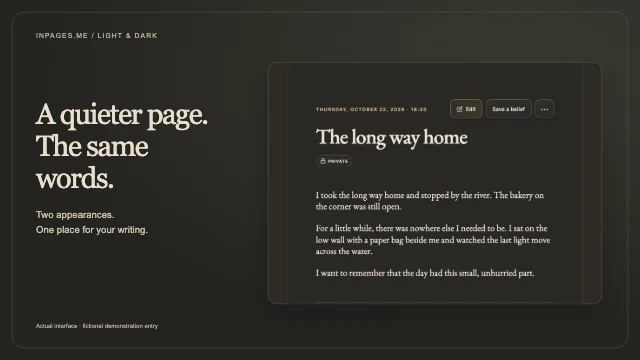
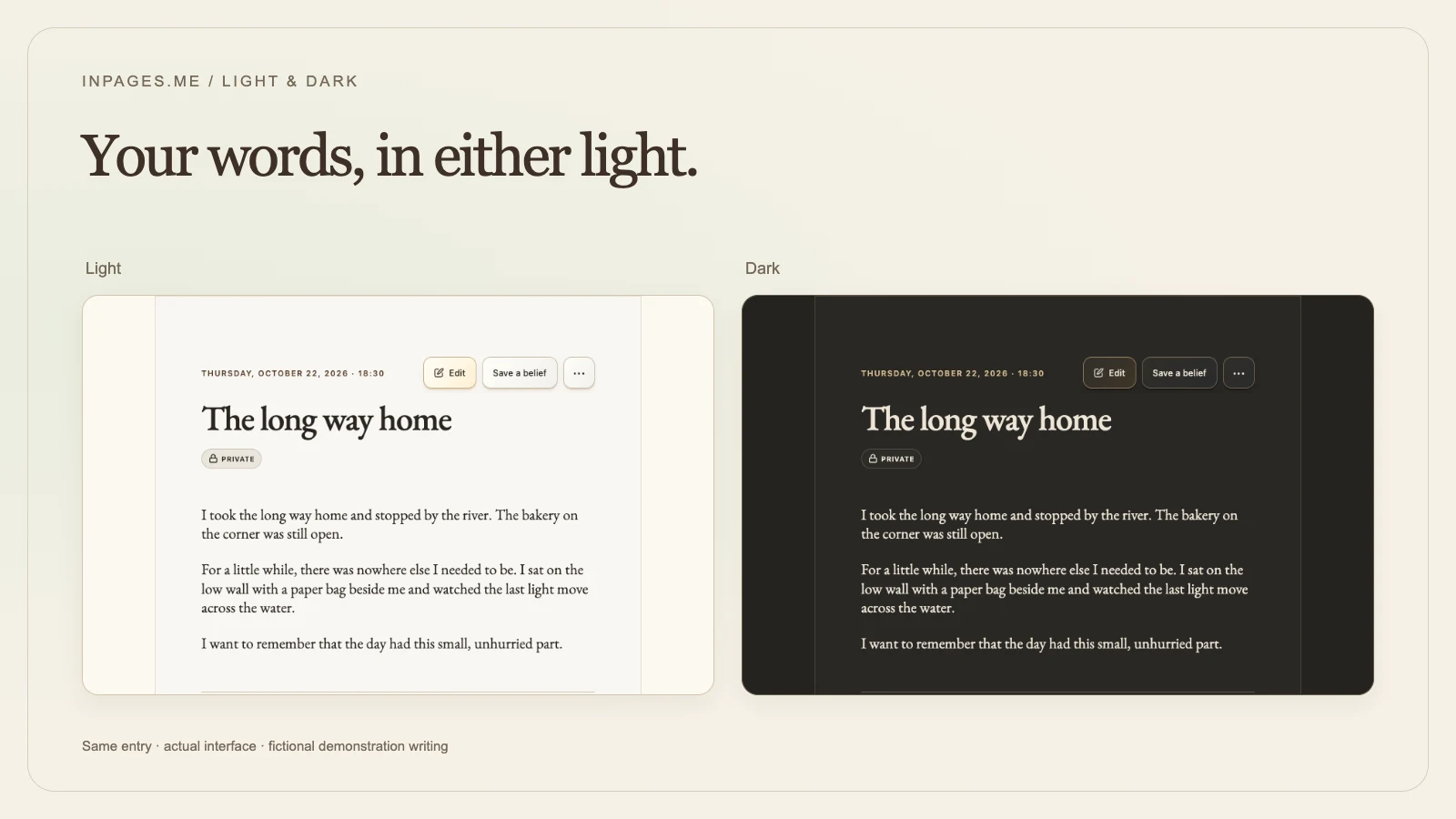
Light mode puts dark writing on a pale page. Dark mode puts light writing on a dark page. In Inpages.me, Light has warm paper tones, while Dark pairs a charcoal background with ivory text.
The entry, its layout, and the actions around it stay the same. Switching appearances changes how the page looks, so you can compare without changing what you wrote. The image above shows the same fictional entry in the actual journal reader.
When you might choose each appearance
Try Dark when the pale page feels too bright
You might be sitting in a dim room after the rest of the house has settled. If the light page draws more attention than the writing, try a darker background. Read a few lines before deciding whether you want to stay with it.
Dark is also a perfectly reasonable daytime preference. You do not need to wait until evening to choose the appearance you like.
Try Light when the words feel clearer on paper
You might prefer a familiar pale page beside a window, or find it easier to follow a longer passage with dark writing on a light background. If light letters seem less distinct to you, switch to Light and compare the same paragraph.
Your preference may change with the task. A quick diary note and a careful rereading of last year's journal do not have to use the same appearance.
A five-minute check with your own entry
Use a private entry you already know, or write three ordinary sentences. Here is a fictional example you can use instead:
I took the long way home and stopped by the river. The bakery on the corner was still open. I want to remember that the day had this small, unhurried part.
- Begin where you normally write. Keep the same seat, screen brightness, and room lighting while you compare.
- Read the passage in Light. Notice whether you can follow a sentence and return to the next line easily.
- Read it again in Dark. In Inpages.me, use the sun or moon button in the app header to switch on the same page.
- Check the details around the writing. Can you read the date, recognise a link, and find the action you need? If the entry has a photograph, look at its caption too.
- Write one more sentence. Choose the appearance you want to continue in. Repeat the comparison another time if your usual writing space changes.
This is a personal preference check, not a test you can pass or fail. You do not need to record a score or keep a schedule. If neither appearance feels comfortable, pause; you can try a different screen brightness or room lighting before returning.
Separate appearance from the habit of writing
A dark background does not decide what to write, how long an entry should be, or whether tonight needs a journal at all. Choose a small enough starting point that you can tell whether the page suits you.
For an evening note, try one detail you want to remember and one thing left unfinished. For a longer reading session, begin with a single entry rather than the whole archive. The guide to rereading old journals offers a way to give that reading a boundary.
If you are still choosing a time to write, morning or evening journaling explores the different kinds of reflection each time can hold. Appearance is one part of the setting; a workable moment matters too.
Choose again whenever you want
Inpages.me gives you both appearances. Light is the starting choice, and this browser remembers the one you select. You can change it from the app header or under Settings → Preferences → Appearance. The choice is separate in each browser and does not follow your device's automatic appearance setting.
The introduction to dark mode in Inpages.me shows the controls and explains where the appearance applies. Use the page that feels clear today, and leave yourself free to choose differently tomorrow.
Continue reading
Give the same notebook a different light.
See both appearances and the simple controls for choosing the one you want to write in today.