Introducing dark mode: a quieter page after hours
Meet dark mode in Inpages.me. Switch your journal between Light and Dark, keep the notebook feel, and choose the appearance that suits your next quiet page.
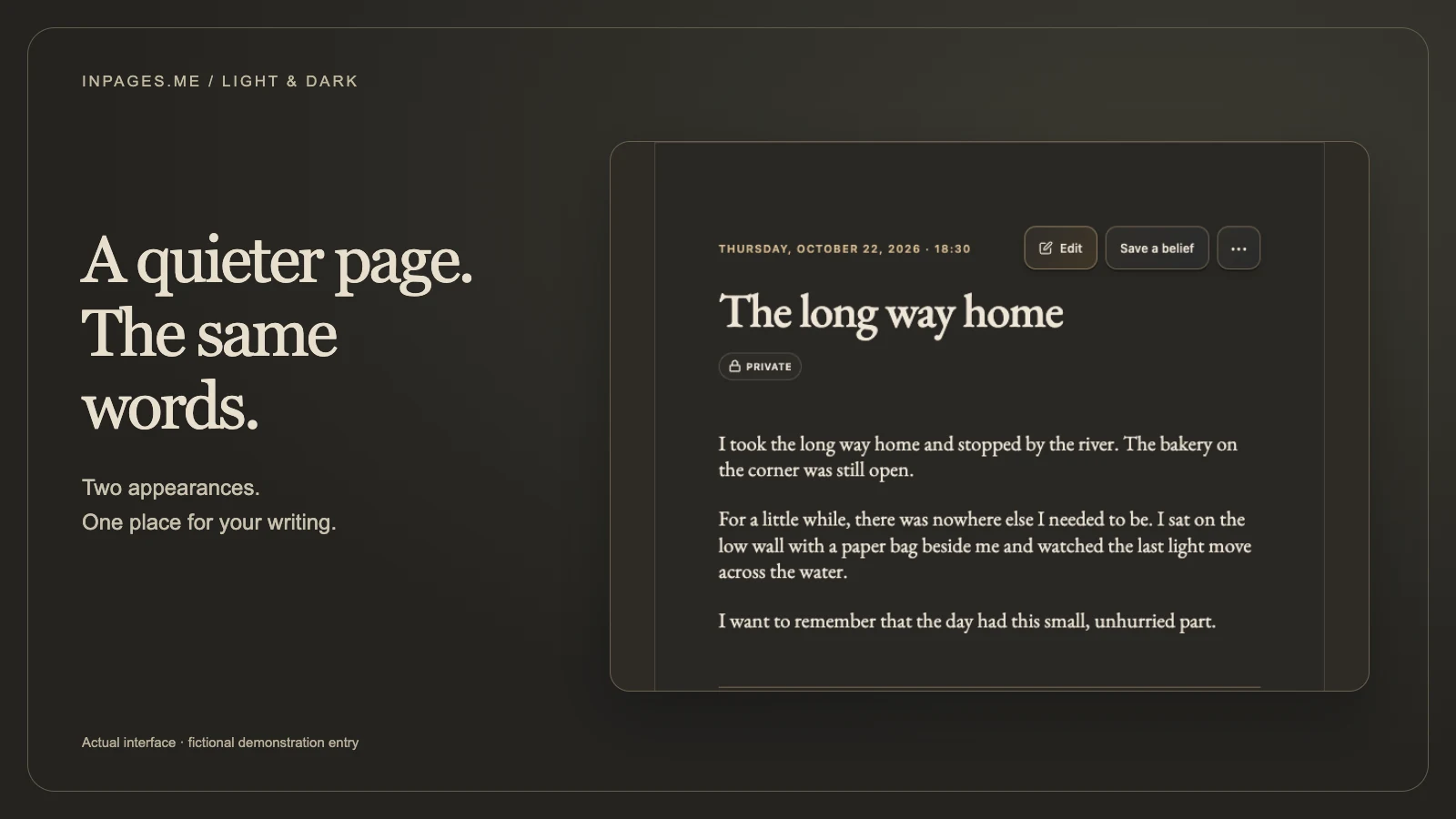
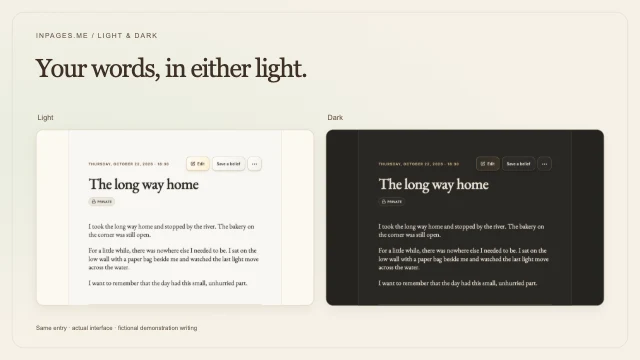
Dark mode is now available inside Inpages.me. You can switch between a warm, paper-like Light appearance and a charcoal Dark appearance with ivory writing. Choose either from the sun or moon button in the app header, or from Settings → Preferences → Appearance.
Sometimes the only quiet part of the day comes after dinner. You open your journal to keep one small detail: a conversation on the walk home, a thought from the train, the way the kitchen looked when everyone had left. If a pale page feels too bright for that moment, you now have another way to write.
The same notebook, in a different light
Light keeps the warm paper you already know. Dark gives the space around your words a deeper background, with soft ivory text and quiet accents. The arrangement stays familiar, so you can return to your page without learning a different way around.
This is a choice about how you want your journal to look. You can write a long memory in Dark, keep a short diary note in Light, or change your mind halfway through reading an old entry.
Switch from the header
- Open Inpages.me and sign in.
- Find the sun or moon button in the app header.
- Choose it to switch between Light and Dark.
The change happens straight away. Your entry stays in place, so you can see how the same words look in the other appearance. There is no need to make another journal or move your writing.
Or choose your appearance in Preferences
Open Settings, then Preferences. Under Appearance, choose Light or Dark. This is the same choice as the header button.
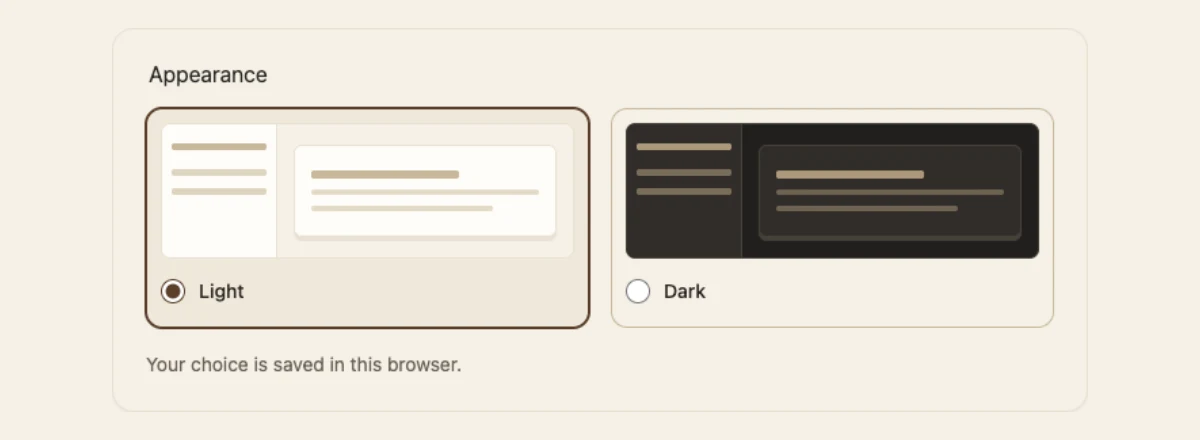
Light is the starting appearance. This browser remembers your choice when you return, and other Inpages.me tabs in the same browser follow it too. If you use another browser or device, choose your appearance there as well.
The choice stays yours: Inpages.me does not change it to match your device settings or the time of day. If your browser cannot save preferences, you can still switch for the current visit.
From a short diary note to a longer page
Your appearance follows you through the app, from Home and your journal shelf to reading, writing, and your diary. Opening a menu or moving into an entry keeps you in the appearance you chose.
Perhaps tonight only needs a few lines in your diary. Another evening might need a whole page. Dark mode leaves that decision to you. If choosing a time to write is the harder part, the guide to morning or evening journaling can help you match a quiet moment to the kind of entry you want to keep.
Your journal cover artwork and photographs keep their colours in both appearances. A blue notebook remains blue; a photograph of a sunny afternoon remains a sunny afternoon. The page around those keepsakes changes.
Choose what makes the words easy to read
You do not have to become a dark-mode person. Try it beside a lamp, switch back on a bright morning, or keep the same appearance all day. If light text on a dark page is harder for you to follow, Light is always a button away.
The Light and Dark comparison for journaling offers a short check using your own writing. It looks at starting a note, reading a longer passage, and finding the smaller details around it.
When you return to an old journal entry, you can choose a different appearance from the one you wrote it in. Your words stay the same.
A choice inside your journal
Light and Dark are available inside the signed-in app. The public website, blog, sign-in pages, and emails keep their existing appearance. Moving from this article into your account is where your chosen appearance begins.
Start with a page you want to write, then choose the light you want to write it in.
Your first quiet page
Make room for the writing you want to keep.
Keep your memories and everyday diary in a notebook with Light and Dark appearances, ready for the time you choose to write.
Choose and pay for a membership before writing your first entry.